Up next
8 stops on this page- 1Bit‑perfect, with the receiptsSignal paththe output chain, sample counts and hashes
- 2Seamless from track to trackPlaybackgapless albums, crossfade and Automix
- 3The music takes the stageArt, lyrics, visualiseranimated covers, timed lyrics, live presets
- 4A Home that knows your libraryHomenew albums, old favourites, records to rediscover
- 5Find any track as you typeSearchCtrl F, answers in about 85 µs
- 6Your files and Navidrome, one libraryFolderslocal FLAC and ALAC beside your server
- 7More sources, through extensionsExtensionsmore sources in the same library, on the way
- 8Every panel where you want itLayoutmove, split and resize anything
Bit‑perfect, with the receipts
noclune decodes FLAC and ALAC with its own decoders, then hashes the audio as it leaves the decoder and again as it goes to the device.
When the two match and nothing in between touched a sample, the output menu reads Bit‑perfect, and the moment volume, ReplayGain or resampling change anything, the signal path names what changed.
In shared mode the Windows mixer sits in the way, and the signal path says so.
- DecoderFLAC24-bit / 96 kHz, stereo59,289,600 samples907e5c3a…18f6d4b2
- ResamplingNonethe file's own rate
- VolumeNoneset on the DAC
- Container24 in 32-bitpadding only
- DeviceWASAPI exclusiveUSB DAC59,289,600 samples907e5c3a…18f6d4b2
The engine reports bit-perfect output
Example path for a 5:09 track, the app shows the real one for whatever is playing.
4,477 real files where noclune's own decoders give exactly the same bytes as ffmpeg61 edge cases, with the same bytes again
Seamless from track to track
Albums play straight through with no gap between tracks, so live records, DJ mixes and every album written to run together play without a pause between tracks.
Between everything else, crossfade blends one track into the next and Automix trims up to two seconds of silence at the edges first, while Keep albums gapless leaves an album's own joins alone whatever you choose.
Gapless: the next file starts on the very next sample, with nothing added between them and nothing taken away, and Keep albums gapless joins an album’s tracks this way whatever else you set.
Illustration with made-up waveforms.

The music takes the stage
Animated album art, lyrics that follow the song line by line and visualisers that move with what's playing get most of the window, and the playback controls stay small.
The background takes its colour from the cover, so the whole window changes with each record.
A Home that knows your library
Home is built from what you play and what's in your folders.

- New from artists you love
- recent albums from the artists you play most
- Jump back in
- what you were playing, a click away
- Recently added
- everything new in your folders
- Top artists and albums
- this month's favourites and the all-time ones
- Rediscover
- records you played a lot, then left alone for six months
Find any track as you type
Ctrl F searches the folder you're in, or all your music, across titles, artists, albums and genres, and the results update with every key.
Play from the results and the queue stays inside them, so a search becomes the evening's playlist without saving anything.
~50 ms to rescan a 4,539-track library with a warm cache~85 µs for a search to answer

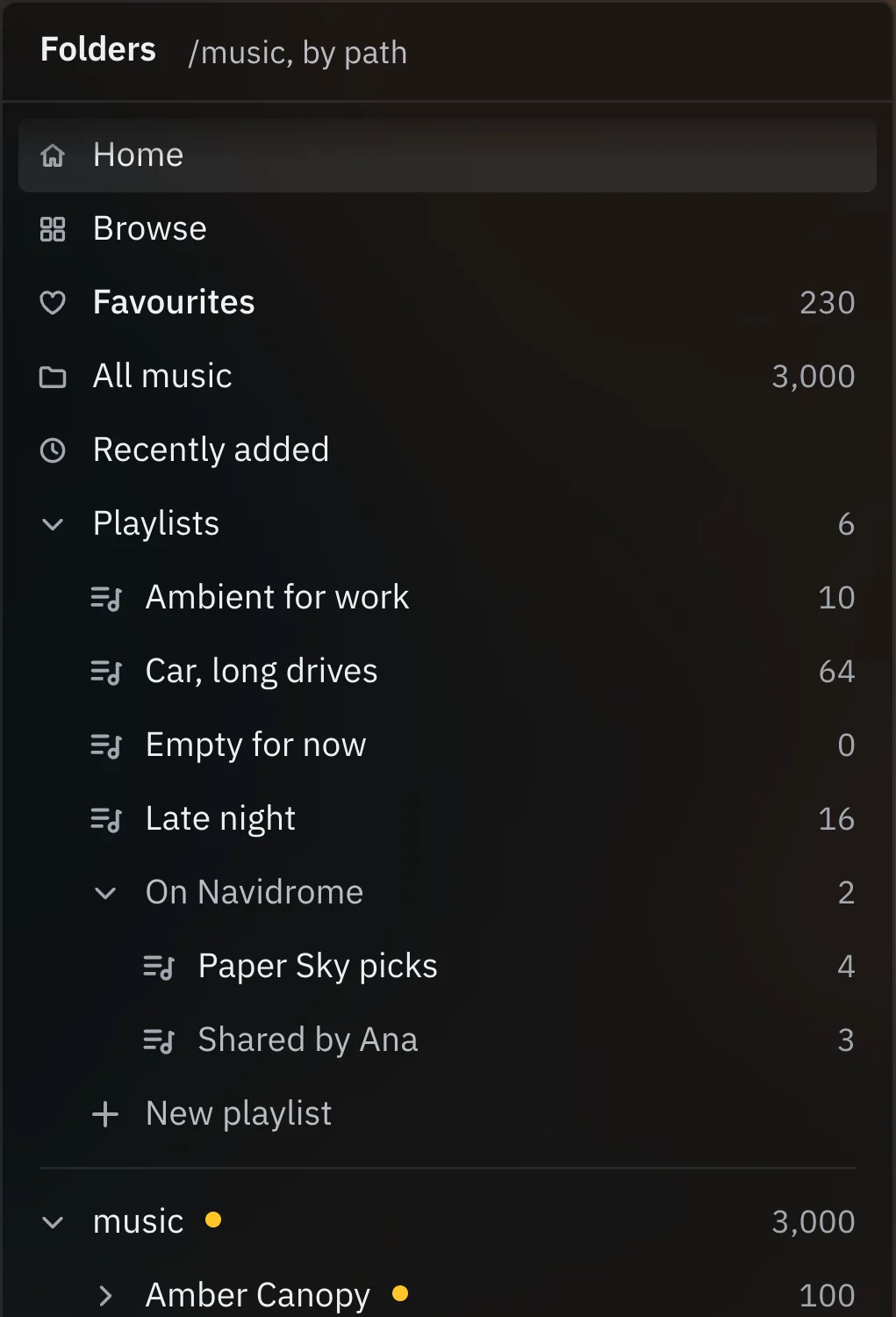
Your files and Navidrome, one library
Point noclune at your folders and it reads the tags itself, organised the way you already keep them, by path.
Sign in to a Navidrome server and its music sits beside yours in the same tree, search and queue.
noclune ships with Music Presence support, so friends can see the track you're on in your Discord profile.
More sources, through extensions
An extension API is on the way, so music sources noclune doesn't ship with can join the same folder tree, search and queue as your own files.
Extensions are being built to play through noclune's own signal path, beside everything else in your library.
Illustration of where extensions will appear, none exist yet.
Every panel where you want it
Press Ctrl L and every panel can be moved, split and resized, and the layout you've seen on this page is where it starts.
